These are the highlights of this month’s improved features in Blackboard Ultra that will be live Thursday, March 5th. The most relevant updates are related to a few key areas:
- Instructional Design
- Communication and Collaboration
- Tests & Assignments
- Gradebook
Instructional Design
Generate Knowledge Checks with AI
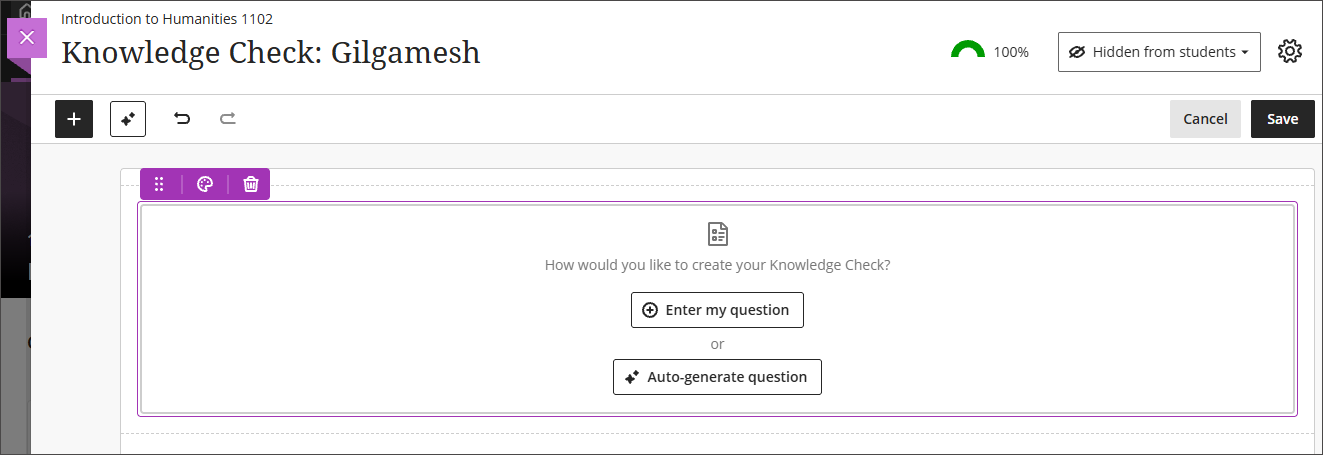
When inserting a Knowledge Check, instructors are now presented with two options: Enter my question or Auto generate question. Selecting Auto-generate question opens the Auto-Generate Question panel, which adapts the existing Question panel used in tests and question banks.
When using the Auto generate question option, instructors can define generation inputs with the following fields:
- A description text field
- A selector to choose course items to inform generation
- A complexity level slider with a range from Low to High
- Advanced options including an output language selector
- An informational banner that states: “This is auto-generated content and needs to be checked for accuracy and bias.”
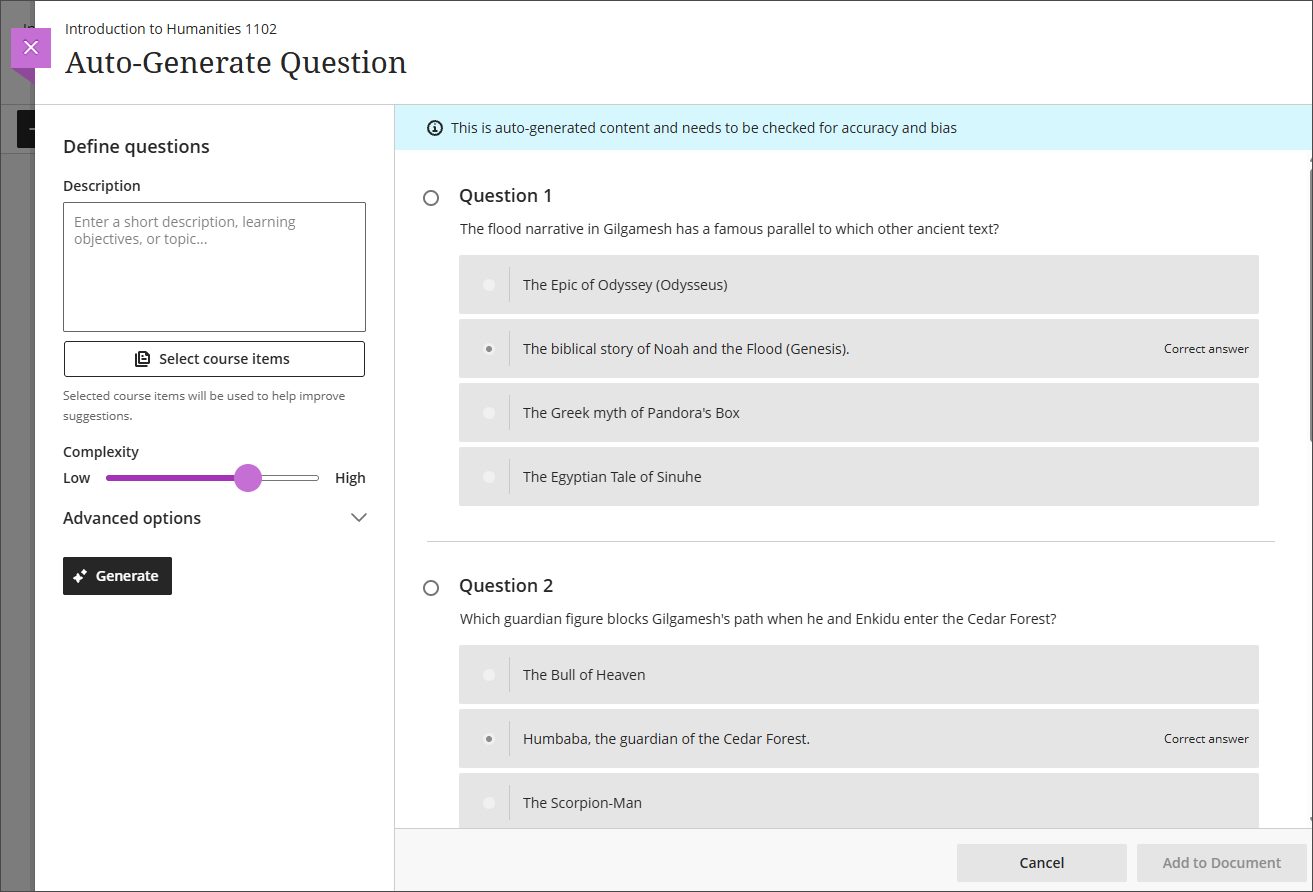
The system generates four multiple choice questions at a time. Each generated question displays with a radio button so that the instructor can select one question to add to the Document. The instructor can then modify the question, answer options, and feedback after insertion. If the instructor opens the Knowledge Check option but does not add a question, the placeholder block remains empty and behaves as other empty content blocks do.
Communication and Collaboration
Enhanced threading experience in Course Messages
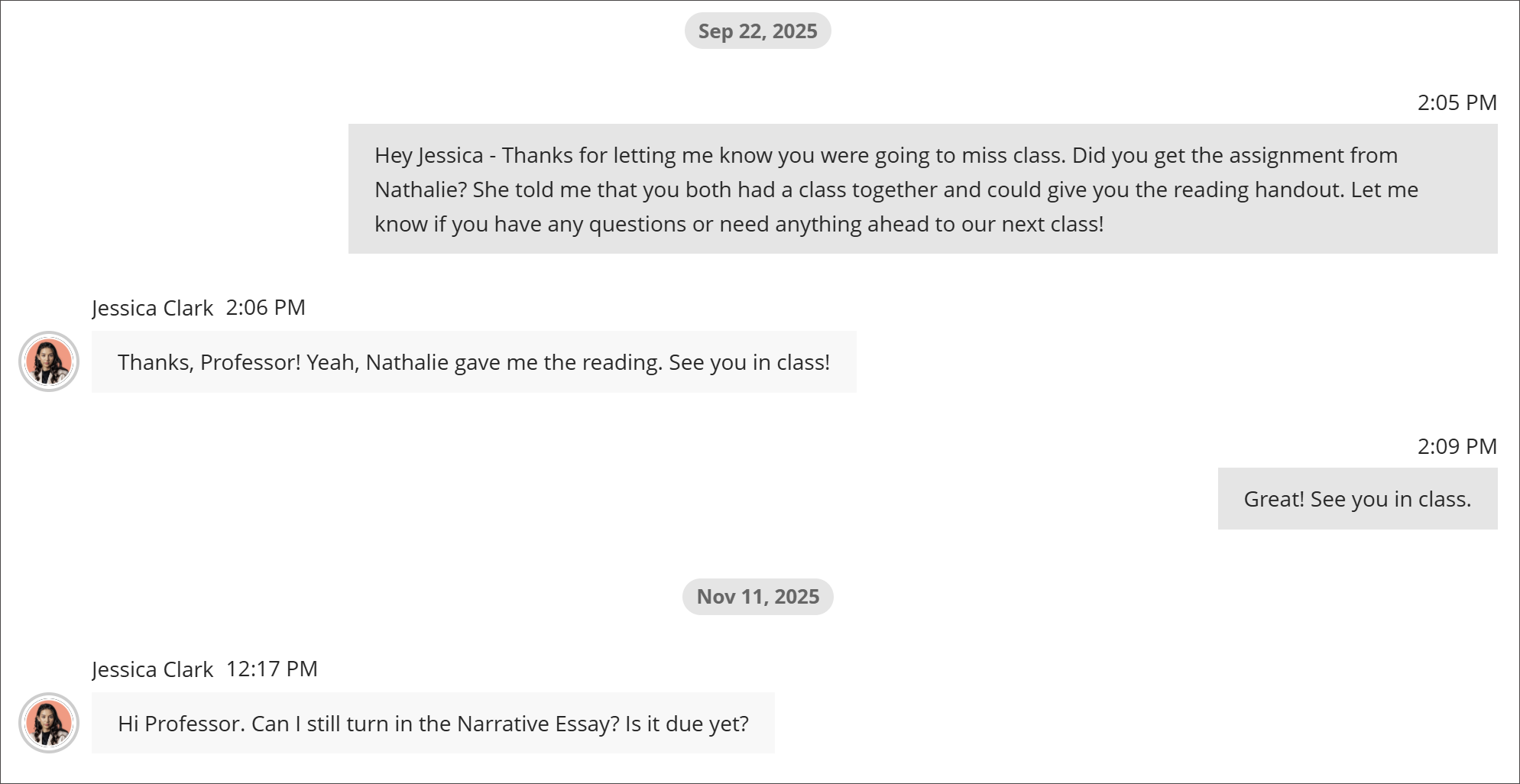
When users send new messages, the system will now attach the message to an existing conversation (if there is an existing conversation with those same individuals). If no conversation exists between those individuals, the system creates a new messages area for the conversation. Any future messages between those users return to that same conversation. This update brings dispersed messages together and improves communication in courses.
Please Note: The option to block replies is removed because it conflicts with the simplified threading experience.
Additionally, the rich text editor (RTE) and Send button now stay onscreen on smaller devices to improve usability.
Add a second participation requirement and due date in Discussions
Instructors will be able to set how many posts and replies that students must complete across two due dates in a discussion.
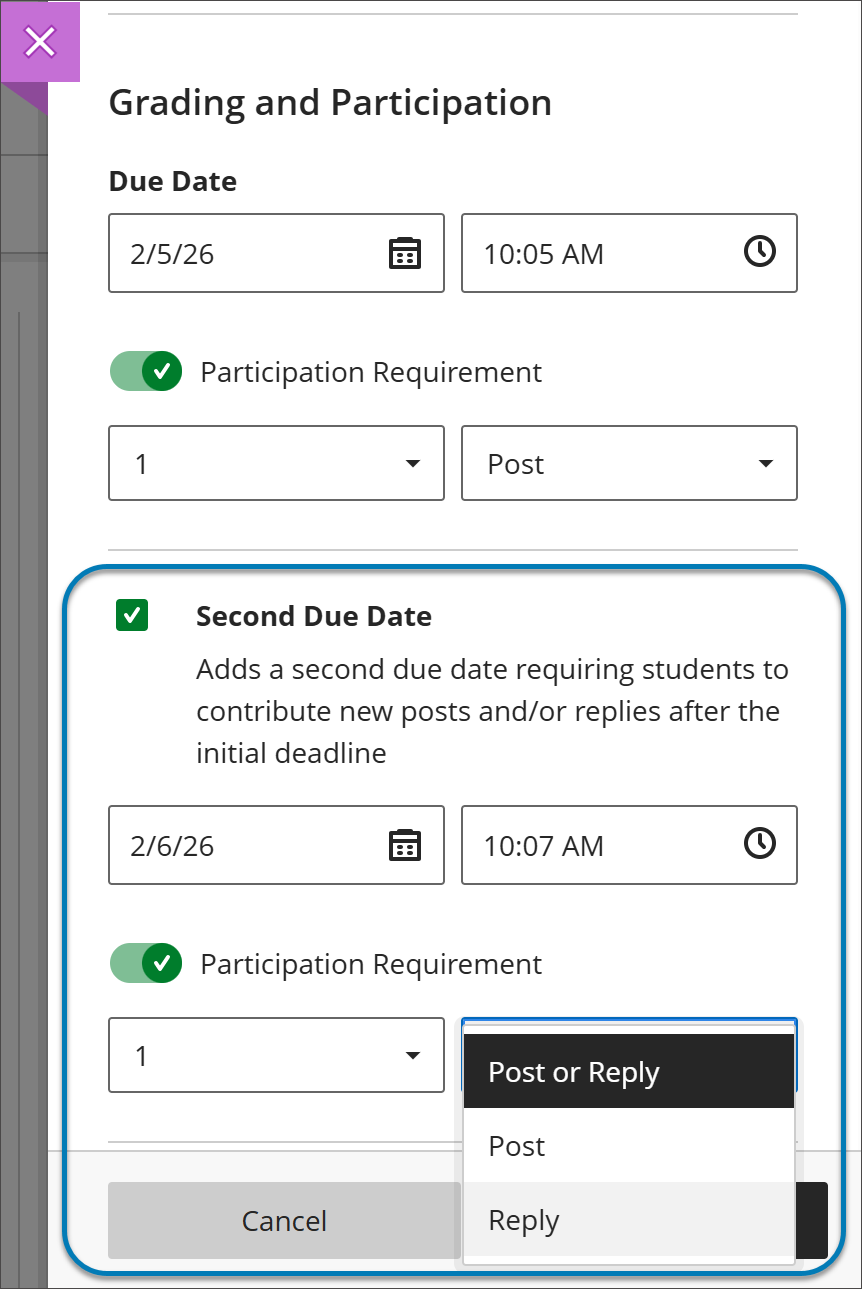
The option Grade discussion must be selected to add a due dates and participation requirement. Enter a time and date under Due Date and specify participation requirements. Selecting Second Due Date adds another due date with its own requirements.
Instructors can disallow student posts or replies after the final due date by selecting Stop discussion activity after last due date.
Assignments and Tests
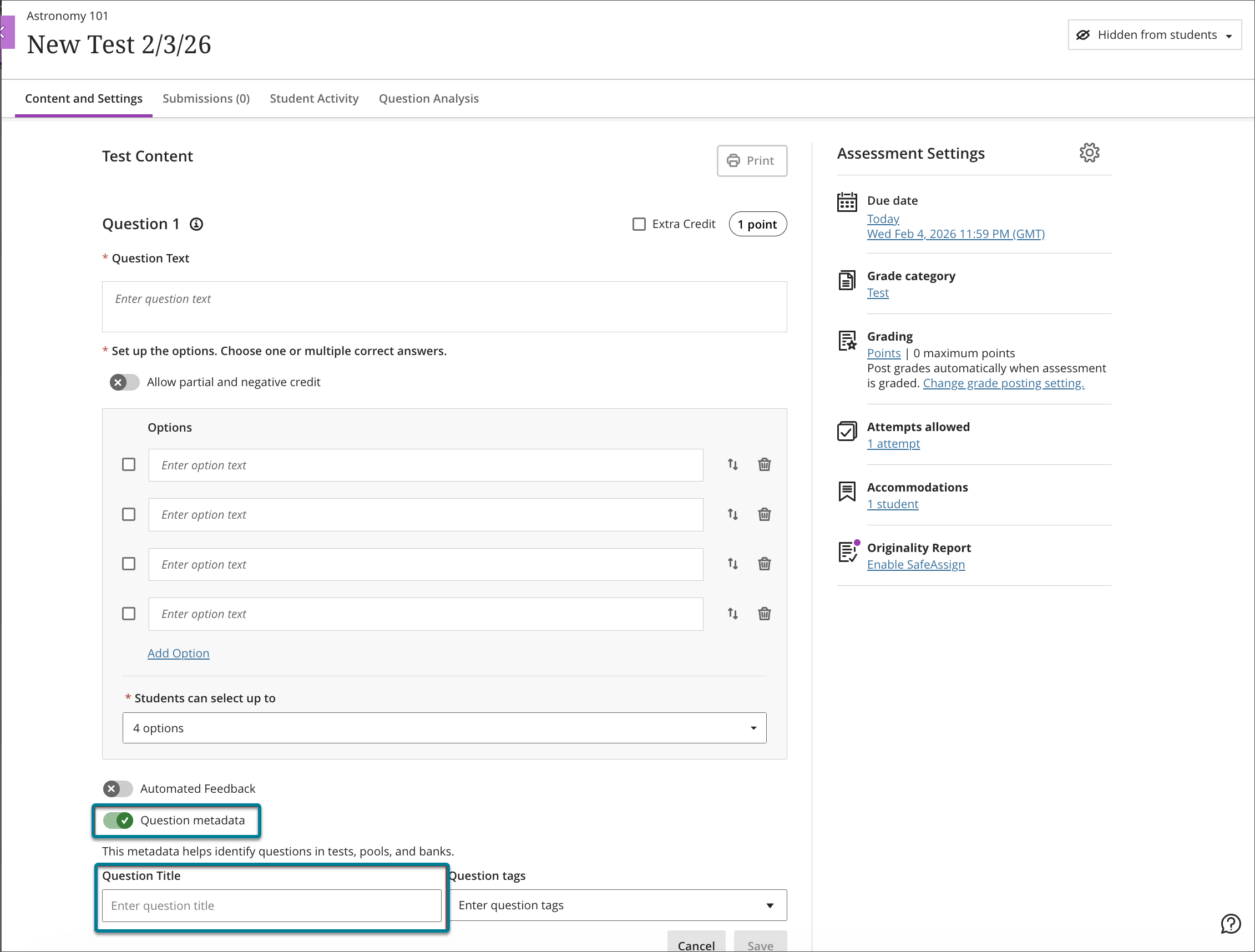
Question Title field relocated
To reduce confusion identified through user feedback, Anthology has moved the Question Title field from the beginning of the question authoring workflow to the bottom, underneath the Question metadata field. Moving this field ensures that titles remain an optional metadata element and reduces cognitive load during question creation.
Partial credit limits removed for Multiple Choice and Multiple Answer
Anthology will be updating the partial credit system for Multiple Choice and Multiple Answer questions to allow instructors to assign credit values without the requirement that all designated values sum to 100%. This change supports more flexible grading strategies and enables instructors to represent varying levels of conceptual understanding without adjusting values to meet a fixed total.
The system now allows instructors to enter any partial credit value for each option within a range of –100% to +100%. Validation continues to warn instructors if total values exceed 100%, but it no longer blocks question setup. Instructors may now also enter positive credit values for options that are not marked as the correct answer. The total partial credit value for correct answers should be at least 100%, and it may exceed 100%. Negative marking continues to operate when enabled.
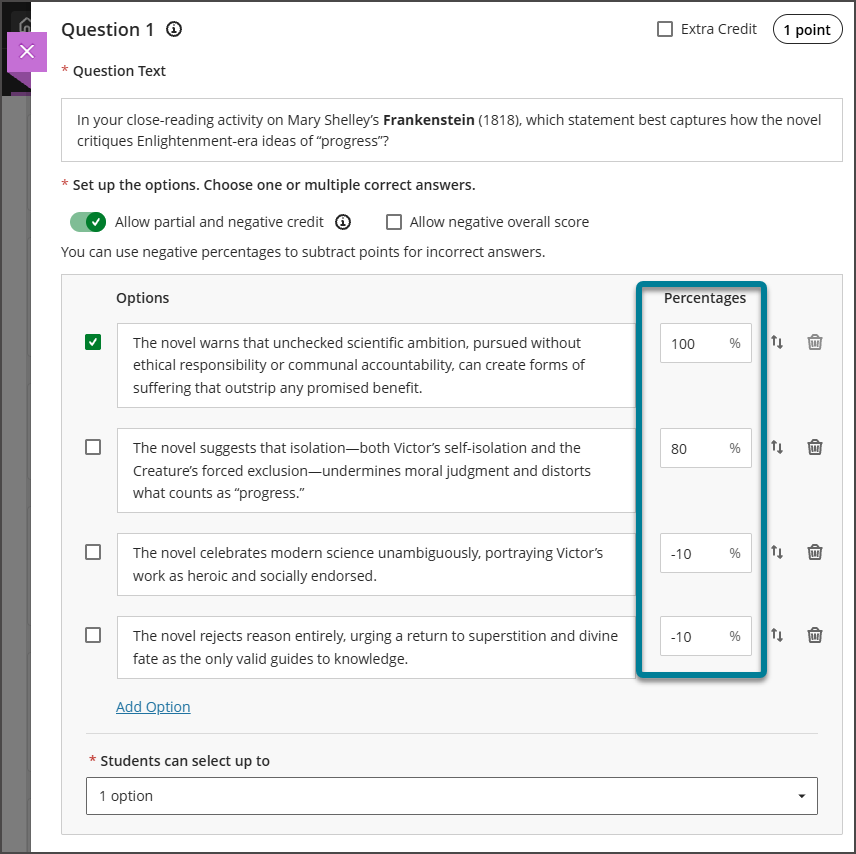
Instructors can also adjust credit values during regrading as well.
Gradebook
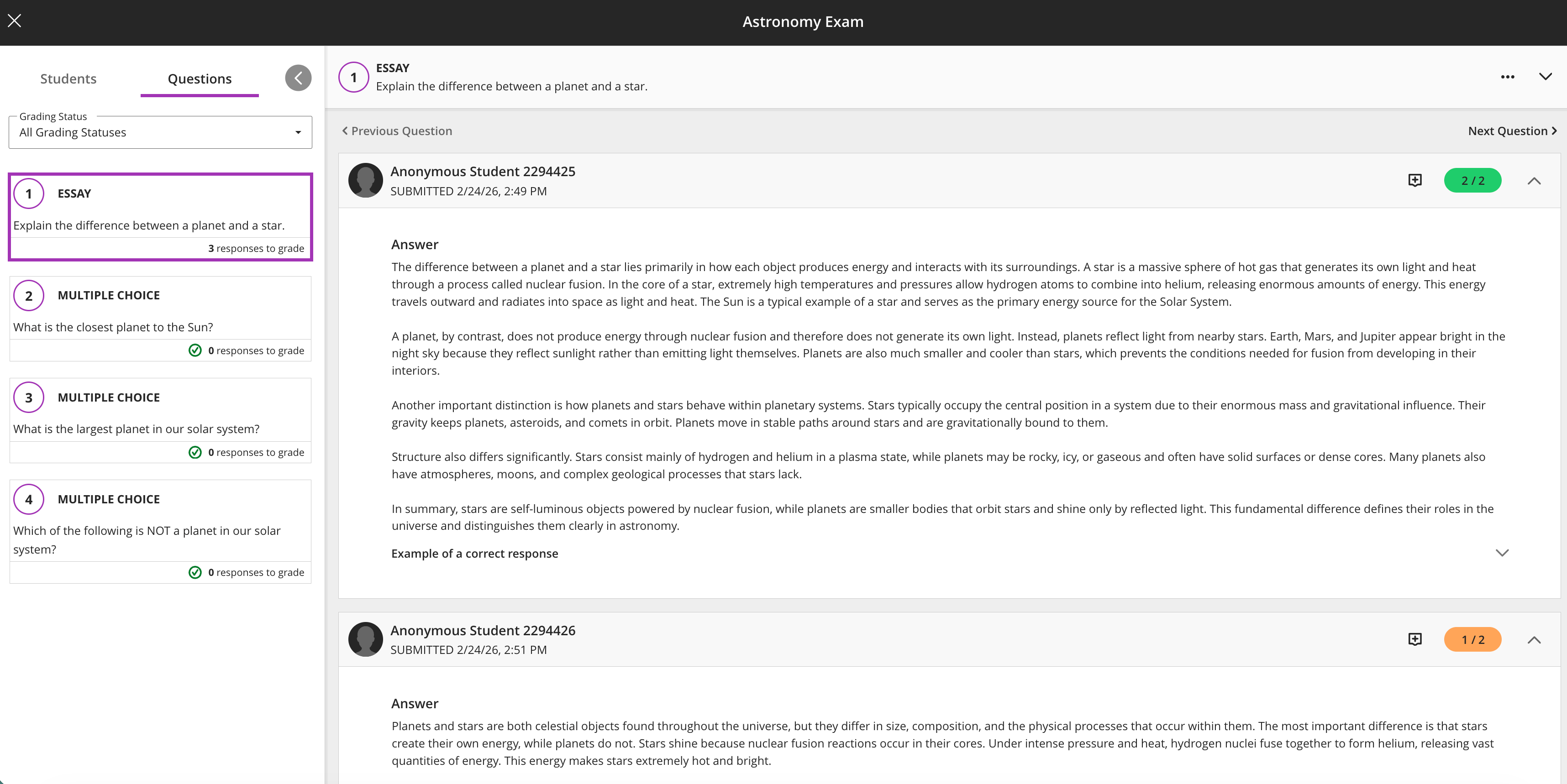
Anonymous grading by question
When grading anonymous test submissions in Question View, the interface replaces the student name, avatar, and ID with an anonymous identifier and a blank avatar. All functionality available when grading non‑anonymous submissions by question is also available when grading anonymously. When anonymous grading is enabled, related APIs no longer return identifying information.
Increased file size limit to 25 MB for assignments and tests
We increased the maximum supported SafeAssign file size from 10 MB to 25 MB. This enhancement supports modern academic workflows in which students frequently submit large documents. The increased file size applies to assignments and tests. Direct Submit will be included in a later release.
Contact the Innovative Learning Support Centre if you need support. We are here to help!