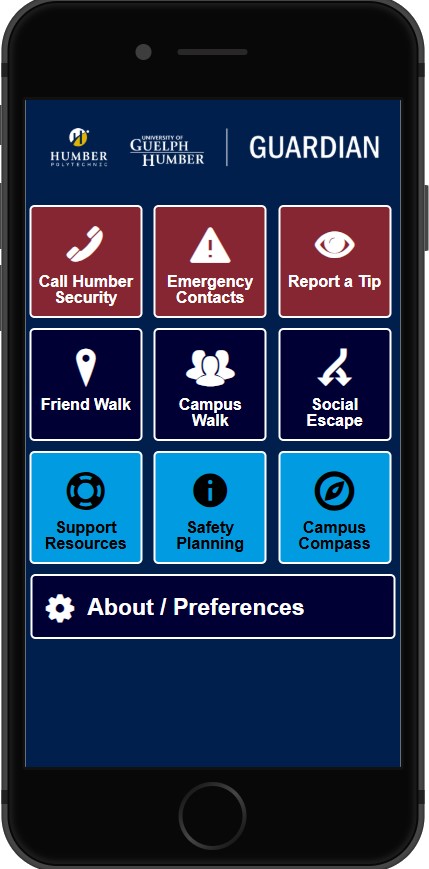
Notifications Settings: To ensure you receive Humber Guardian notifications, please confirm that notifications are enabled both in your phone setting for Guardian App and within the Humber Guardian app. In-app notifications can be enabled by navigating to About/Preferences, selecting the Push Notifications menu, tapping on Push Notifications and enabling the notifications on. Both settings must be enabled for alerts and safety messages to be delivered successfully.
App Offloading/Hibernation: The Department of Public Safety would like to inform the Humber community about iOS and Android operating system features that may affect the delivery of Humber Guardian app notifications.
iOS Offloading (iOS 11 and above)
Apple introduced an “Offload Unused Apps” feature that automatically removes apps that are not used for an extended period when device storage is low. Although app data is retained, the application itself is removed from the device and must be manually restored through device settings. When offloaded, the Humber Guardian app may not deliver push notifications.
Android App Hibernation (Android 11 and above)
Android devices running version 11 or higher may automatically place apps into a hibernation state if they are not used for several months. When an app is hibernated, it may stop receiving important push notifications and performing background tasks, including safety alerts.
How to Disable Android App Hibernation
- Open Settings and tap Apps
- Select Humber Guardian App
- Tap on Unused app setting (or look for “App hibernation”)
- Toggle Off “pause app activity if unused” or “Remove permissions if app is unused” or “Manage app if unused” (depending on your setting and device)
How to Disable iOS App Offloading
- Open the Settings and tap Apps
- Scroll Down to App Store
- Locate Offload Unused Apps at the bottom
- Toggle the switch to Off/disable
To help prevent missed notifications, Public Safety has implemented automated reminders every three months to prompt users to review and disable offloading or hibernation settings:
- Android devices: App hibernation is managed on a per-app basis. Reminders will only be sent if the hibernation setting is enabled at the time of the scheduled reminder.
- iOS devices: Offloading is a device-wide setting. As a result, reminders will continue every three months regardless of whether offloading has been disabled.
If you have any questions or require assistance, please contact the Department of Public Safety at publicsafety@humber.ca.
Department of Public Safety
Humber Polytechnic