Announcements

When:
December 19, 2025
Posters/Attachments: Event Poster

As the holiday season approaches, we extend our warmest wishes to each one of you. May this festive time bring joy, reflection, and moments of connection with your loved ones.

The Student Success and Engagement Team is grateful for the opportunities to collaborate, share spaces, and support our learners in 2025. We look forward to working closely with all of you to continue supporting our Humber learners in 2026.

May your holidays be filled with laughter, warmth, and the spirit of goodwill. Wishing you all a joyful and rejuvenating break.

Student Success and Engagement Team

When:
December 19, 2025

These are the highlights of this month’s new and improved features in Blackboard Ultra that will be live Thursday, January 8. The most relevant updates are related to a few key areas:

  • Instructional Design
  • Tests & Assignments
  • Blackboard Core

Please read more details about these updates on Innovative Learning's Blackboard Hub.

Instructional Design

Usability improvements for Document Block Layout

To improve usability and accessibility, Anthology has restructured the menu for document block layouts. Previously, all options for changing the row, size, or position of a block were in a single dropdown list. Now, these options are organized by type of change (row, size, and position).

Selecting the edit icon for a block prompts a menu with three options: Change row, Change [block/column] size, and Change [block/column] position. Each of these options have a sub-menu, with the related actions.

  • Change row
    • Move to row above
    • Move to row below
    • New row above
  • Change [block/column] size
    • Expand to the left
    • Expand to the right
    • Shrink from the left
    • Shrink from the right
  • Change [block/column] position
    • Move to the left
    • Move to the right

Tests & Assignments

Expanded question options for true/false

Anthology has expanded the display options for true/false questions to include:

  • True/False
  • Yes/No
  • Right/Wrong
  • Agree/Disagree

Enhanced multiple choice and multiple answer workflow

To reduce setup time when creating a multiple choice question, Anthology has changed the default number of answer options from three to four. Instructors can add or remove answer options.

Instructors can now define the number of answer selections that a student can make for each multiple choice question. When the student takes the assessment, the system enforces the instructor’s selection limit.

Blackboard Core

Navigate courses and tools faster with refreshed user interface

The changes reflect extensive feedback from instructors, administrators, and students and aim to:

  • Use screen space more effectively
  • Reduce navigation errors, such as accidental exits
  • Improve performance and page load times
  • Provide clearer context and orientation
  • Minimize motion for smoother navigation

The changes include the following, but please learn more about these changes if you'd like;

  • Refreshed base navigation
  • Course panels become full-screen course pages
  • The Home button replaces the Exit button
  • Course ID and title in the header bar
  • Full-width banner
  • Course switcher

For more information, please read more at Anthology's Blackboard website.

When:
December 19, 2025

When will Blackboard's User Interface be changing?

As of Thursday, January 8, Blackboard Ultra's appearance will be upgraded!

Why is this change happening?

These changes are designed to help you find what you need faster, reduce clicks, and make every interaction simpler and more efficient. These are the reasons for the change:

ol {margin-bottom:0in;margin-top:0in;}ul {margin-bottom:0in;margin-top:0in;}li {margin-top:.0in;margin-bottom:8pt;}ol.scriptor-listCounterResetlist!list-dac9e4dc-de91-4a30-8553-ac7c090b5c2a0 {counter-reset: section;}ol.scriptor-listCounterlist!list-dac9e4dc-de91-4a30-8553-ac7c090b5c2a0 {list-style-type:bullet;}li.listItemlist!list-dac9e4dc-de91-4a30-8553-ac7c090b5c2a0::before {counter-increment: section;content: none; display: inline-block;}

  • Better use of screen space
    • The new layout avoids stacked panels that previously reduced content visibility.
  • Fewer navigation errors
    • The 'Exit' (X) button was prone to accidental clicks, which has now been removed.
  • Improved performance
    • The switch from panels to pages aims to give a quicker load time for pages, as the compute required for loading layers on top of each other is not required anymore.
  • Clearer context
    • Simplified layouts will help users stay oriented to where they are in the course.
  • Reducing motion issues
    • Removing panels and going to a full-page view will mean less motion on the screen as layers will not need to load and transition on top of one another, which will provide a more seamless navigation system.

What will the changes look like?

You can view the System Navigation Update video to understand more about these changes. The following is the list of updates:

Modernized Base Navigation

This change is being made to provide a cleaner layout for clear access to main navigation tabs with less clutter.

ol {margin-bottom:0in;margin-top:0in;}ul {margin-bottom:0in;margin-top:0in;}li {margin-top:.0in;margin-bottom:8pt;}ol.scriptor-listCounterResetlist!list-dac9e4dc-de91-4a30-8553-ac7c090b5c2a1 {counter-reset: section;}ol.scriptor-listCounterlist!list-dac9e4dc-de91-4a30-8553-ac7c090b5c2a1 {list-style-type:bullet;}li.listItemlist!list-dac9e4dc-de91-4a30-8553-ac7c090b5c2a1::before {counter-increment: section;content: none; display: inline-block;}

  • User profile now appears at the top of the navigation, complete with profile image for easier customization.
  • Sign Out option is moved to the bottom of the panel, separating them from other actions for clarity.

 Profile, Institution Page, Activity, Courses, Organizations, Calendar, Messages, Grades, and Tools. At the bottom of the menu is the Admin option and Sign Out

Course Upgrades

Courses now open in full-screen mode to maximize horizontal space and reduce clutter. This update applies to top-level panels such as Course Content Homepage, Calendar, Announcements, Discussions, Gradebook, Analytics, Groups, and Achievements. Secondary panels will update in future releases. You will also notice that:

ol {margin-bottom:0in;margin-top:0in;}ul {margin-bottom:0in;margin-top:0in;}li {margin-top:.0in;margin-bottom:8pt;}ol.scriptor-listCounterResetlist!list-dac9e4dc-de91-4a30-8553-ac7c090b5c2a2 {counter-reset: section;}ol.scriptor-listCounterlist!list-dac9e4dc-de91-4a30-8553-ac7c090b5c2a2 {list-style-type:bullet;}li.listItemlist!list-dac9e4dc-de91-4a30-8553-ac7c090b5c2a2::before {counter-increment: section;content: none; display: inline-block;}

  • The 'Home' button replaces the 'Exit' (X) button
    • The “X” to exit a course is replaced with a Home button that returns you to your institution’s landing page (Activity Stream, Institution page, or Courses page). The “X” remains for lower-level panels like learning modules for now.
  • Course ID and title in the header bar
    • The header now displays the course ID and title for better context. Breadcrumbs will be added in a future update to improve navigation further.
  • A full-width banner
    • The course banner spans the full width of the screen with the course ID and title on a darker background for better clarity and accessibility. If a course doesn’t have a selected banner, a placeholder image will appear at the top.

Branded course menu

ol {margin-bottom:0in;margin-top:0in;}ul {margin-bottom:0in;margin-top:0in;}li {margin-top:.0in;margin-bottom:8pt;}ol.scriptor-listCounterResetlist!list-dac9e4dc-de91-4a30-8553-ac7c090b5c2a3 {counter-reset: section;}ol.scriptor-listCounterlist!list-dac9e4dc-de91-4a30-8553-ac7c090b5c2a3 {list-style-type:bullet;}li.listItemlist!list-dac9e4dc-de91-4a30-8553-ac7c090b5c2a3::before {counter-increment: section;content: none; display: inline-block;}

  • The course menu reflects your institution’s branding, using colors and styles from theme settings. The menu is positioned higher on the screen for better use of space.
  • Course Switcher
    • Users can quickly jump between their four most recent courses or go to the full Courses page. This is accessible from the 'Courses' drop-down menu in the top-left corner beside the home button.

Full screen of a Blackboard Course, including the header, banner, and Course Content page. On the right hand side of the Course Content page is the listed Instructors for the course.

Contact the Innovative Learning Support Centre if you need support. We are here to help!

When:
December 19, 2025

All full-time and non-full-time employees are invited to complete the Employment Equity Questionnaire (EEQ).

Humber Polytechnic and the University of Guelph-Humber are committed to workplace equity, diversity and inclusion. Employment Equity is a term used in Canada to describe a process for achieving equality in all aspects of employment. Humber complies voluntarily with the Employment Equity Act under the Federal Contractors Program.

The information that you provide in the EEQ will be kept confidential and will only be reported in aggregate form for Employment Equity purposes. In other words, the reported data will not contain any personal identification.

Having up-to-date knowledge of our workforce representation is essential in accurately identifying where underrepresentation exists and allows for targeted efforts toward removing barriers and addressing that underrepresentation.

The Goal of Employment Equity is to:

  • Eliminate employment barriers for the designated groups: Indigenous people, women, persons with disabilities, and members of racialized groups. At Humber, we also provide individuals with the opportunity to identify their sexual orientation and gender identity;
  • Remedy past discrimination in employment opportunities and prevent future barriers;
  • Improve access and distribution throughout all occupations and at all levels for members of the identified groups; and
  • Foster a climate of equity and inclusion.

View more information on the People(s) and Culture webpage.

Please note: the completion of Humber’s Employment Equity Questionnaire is voluntary.

How can I access the Employment Equity Questionnaire?

Employees can access the EEQ directly in the HRMS by following the steps below:

  • Go to http://hrs.humber.ca
  • Click on HRMS Sign In
  • Enter your Humber credentials to sign in
  • Click on Personal Information
  • Click on Personal Details
  • Expand the section titled Biographical Info
  • Click on the pencil icon to add/update your responses to the EEQ
  • The steps are also listed in the HRMS Knowledge Base website titled View and Update Personal Information.

If you require the EEQ in an alternate format or have any questions, please contact humanrights@humber.ca.

Thank you for helping to build a more inclusive Humber and UofGH.

When:
December 18, 2025
Posters/Attachments: Event Poster

As we near the end of the semester and the beginning of the holiday season, the December FAST Times is shining a spotlight on many moments that make our community so special, including student success stories, cherished colleagues who are retiring, and when we gathered at our Holiday Lunch earlier this week.

The Humber FAST community extends our warmest wishes to you and your families for a safe and joyous holiday season. We hope the warmth of the season brings you moments of joy, peace and time to create meaningful memories with loved ones.

Happy Holidays!

Paul Griffin
Senior Dean, Faculty of Applied Sciences & Technology

When:
December 18, 2025

Humber is excited to announce the launch of the Digital Asset Management System (DAM) – Staff Contributor, Student Intern/Work Study Training – for all of those that will upload or contribute assets for the Humber Community. This accompanies the previously launched General User training for all at Humber.  Both can be found on Humber LEARN.

What You’ll Learn:

  • How to log into and navigate the DAM
  • How to search for and download digital assets
  • How to upload and organize content
  • How to access brand logos and guidelines

How to Register on Humber LEARN:

  1. Sign into HRMS
  2. Go to LEARN
  3. Search for the DAM trainings
  4. Click Enroll

The DAM plays a key role in Humber’s Digital Campus Plan:

  • Priority 2: Enhancing digital experience with enterprise tools
  • Priority 3: Empowering staff through a modern digital workplace

We encourage you to share this news within your department/Faculty. If you have questions, please reach out to humberdam@humber.ca.

When:
December 18, 2025
Contact:
Todd Carmichael
Posters/Attachments: Event Poster

Humber has launched a newsletter to share news and information with Lakeshore Campus community partners and stakeholders.

The Humber Lakeshore News will aim to circulate a new issue each academic term and will share updates and information about new initiatives and events on campus, key milestones of campus developments and any other items that may be of interest to the community and partners with ties to the Lakeshore Campus.

When:
December 18, 2025
Contact:
Humber Polytechnic Press
The cover of JIPE Vol.7

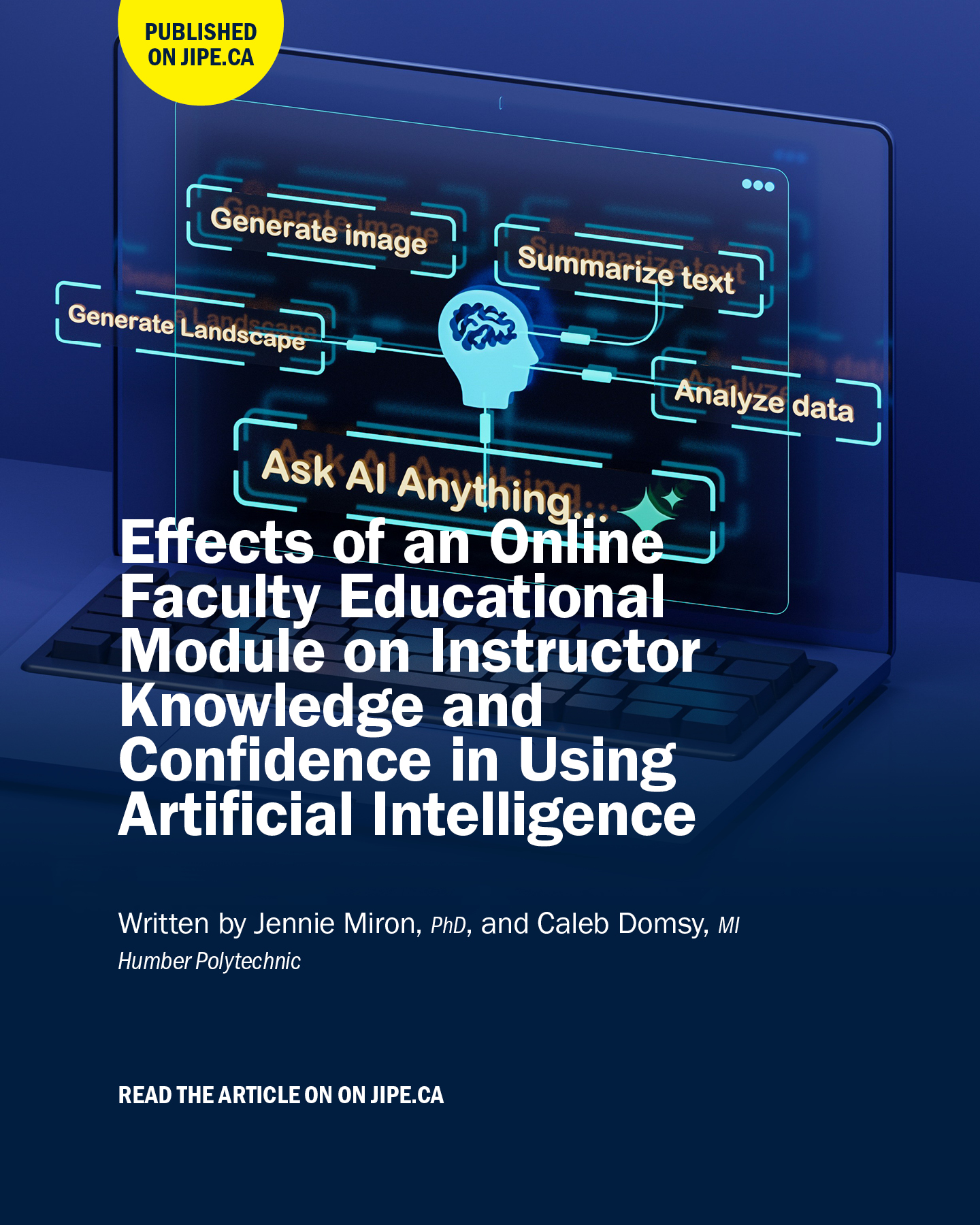
We are thrilled to share that JIPE Vol. 7 is out now! 

The 2025 General Issue contains 14 original research papers, review articles, and essays by 40 authors across 14 institutions. 

From the integration of generative AI in education to the rethinking of vocational training and social policy, these contributions illustrate the strengths of the polytechnic model. Authors explore how we can better understand the student experience, design curriculum that keeps pace with changing workplaces and build partnerships that extend learning far beyond the walls of their campuses.

Read the JIPE Vol.7 General Issue: https://jipe.ca/index.php/jipe/issue/view/13

About JIPE 

Journal of Innovation in Polytechnic Education (JIPE) is an online, open-access peer-reviewed journal that mobilizes knowledge and insights generated by the global polytechnic community. JIPE is published by Humber Polytechnic Press. JIPE accepts submissions on a rolling basis. To learn more about JIPE, please visit jipe.ca.

When:
December 18, 2025

Thanks to the generosity of our Humber community, the Faculty of Health & Life Sciences Holiday Giving Drive has reached its $2,000 goal in support of Haven on the Queensway!

Your contributions help Haven provide essential services, including, among others:

  • Over 1,000 food bank clients served every week
  • Almost 6,000 meals provided annually to those experiencing homelessness

While we’ve reached our goal, the need remains great. Our fundraising page will stay open until December 31, so if you haven't yet had a chance to donate, or are willing to share the link with friends and family, every dollar makes a difference.

Donate: FHLS Fundraiser for Haven on the Queensway

Thank you for helping us show what compassion in action looks like this holiday season.

Wishing everyone at Humber a wonderful holiday season.

Your friends in FHLS

When:
December 17, 2025
Contact:
Vidushi Sanghadia

The International Development Institute celebrates the people, partnerships, and shared commitment behind our work to strengthen technical and vocational education and training (TVET) systems and promote inclusive, equitable skills development worldwide.

From strengthening TVET systems to advancing gender equality and disability inclusion, this year’s milestones were achieved through collective effort and meaningful cross-cultural collaboration. Through international reform projects, Humber Polytechnic continues to strengthen partnerships that support inclusive, labour market–responsive skills development.

Watch the Bhutan Education and Skills Training (BEST) project video to learn how these collaborations are equipping graduates in Bhutan with the knowledge and skills needed to meet labour market demands.

For more information and to get involved, contact:

Vidushi Sanghadia
International Development Project Lead
vidushi.sanghadia@humber.ca

Pages